

Instrument · one of the 47
ROOT
Drop a loop in. Get the 808 line out.
ROOT hears your track's root note and writes a matching 808 bassline — editable piano roll, MIDI drag-out, in key every time.
- Formats
- VST3 · AU
- Runs on
- macOS + Windows
- Licensing
- iLok · no dongle
- Installs via
- Echelon Hub
Own it
Pick the units; we’ll show you whether a pack beats buying them one at a time. Flagships (the $149+ units): the Pick 3 includes 1, the Pick 5 2; each beyond that is +$49.
6 × $16.50, then ROOT is yours · $99.00 total, no interest. Cancel or pay off anytime. USD.
Trial covers all 47 units, then $17.99/mo. Buy Now goes straight to checkout.
macOS (Universal) + Windows · iLok · New plugins drop Every Friday
Not today? so it’s easy to find again.

01COMPLEXITY
Locked Notes Stay Put.
Turn a knob and only unlocked notes change.

02PIANO ROLL
More Like This.
Close variations of your pattern fill the other slots.

03GENERATOR
Swing Works on Loops.
Turn it up and the offbeats push later.

04KICK-LOCK
Lock to the Kick.
808 hits land with your kicks, or clear them.

05GENERATE VARIATION
Pick a Variation.
Then drag it out as MIDI or audio.
The face · v1.2.0 · VST3 · AU
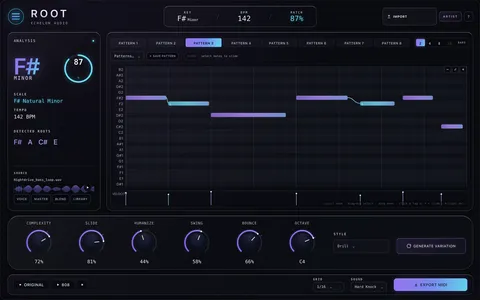
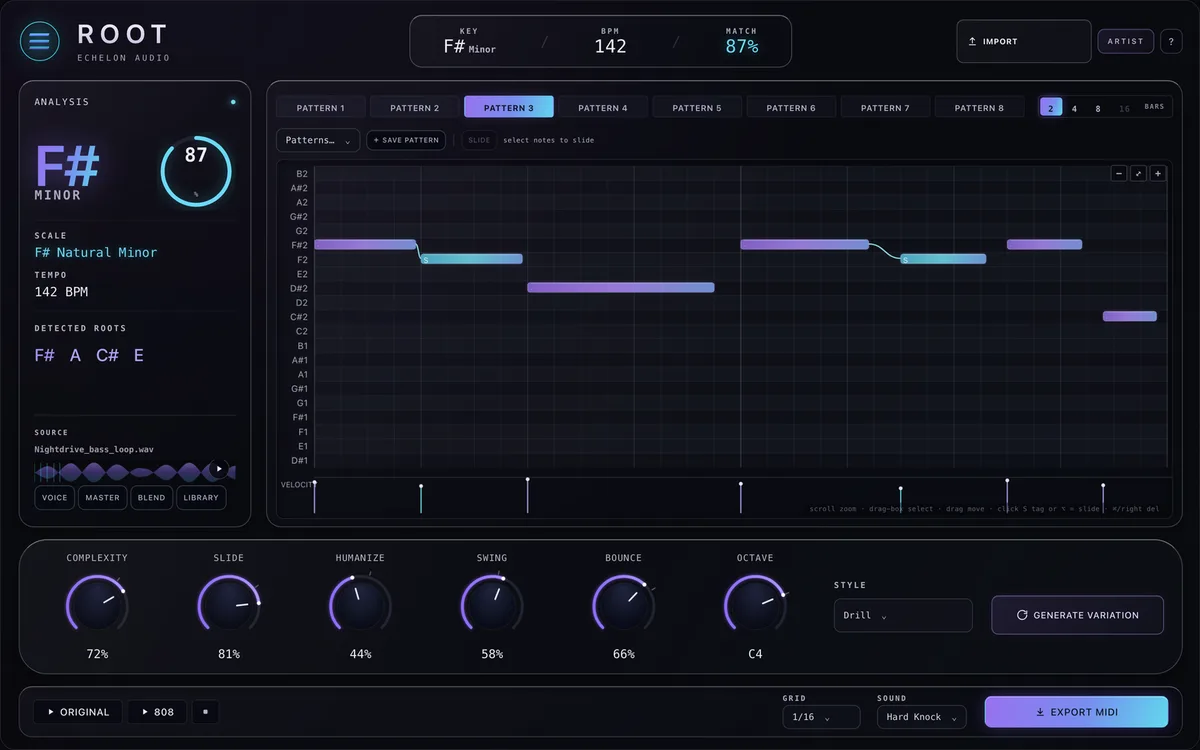
What opens in your DAW.
The film builds ROOT as hardware. This is the interface itself, exactly as it ships.
Walkthrough · 31 s · no audio
ROOT in 31 seconds.
What ROOT does, a tour of its current faceplate, and the quick facts. No audio — there is no rendered A/B for ROOT yet.
Why it exists
audio → 808 bass engine
Every 808 line starts the same way: hunting the key by ear, testing notes against the loop, hoping the low end you can barely hear on monitors is actually in tune.
ROOT does the hunt for you. Feed it the track, it finds the root and writes a matching 808 line with groove baked in. Edit it in the piano roll, drag the MIDI into your arrangement, keep moving.
In the session
- 01Detect the key from audio — no theory required.
- 02Audition the generated 808 line instantly.
- 03Edit every note in the built-in piano roll.
- 04Drag MIDI straight into your arrangement.
Under the hood
What's inside ROOT.
- Detects your track's root note
- Builds a matching 808 line
- Editable piano roll + MIDI drag-out
- In key, every time
System requirements
- Version
- v1.2.0
- Formats
- VST3 · AU
- macOS
- macOS 11+ · Apple Silicon + Intel (Universal)
- Windows
- Windows 10/11 · 64-bit · VST3 + AAX
- Licensing
- iLok · machine, cloud or USB
- Delivery
- Echelon Audio Hub
Straight answers
Before you run ROOT.
Which DAWs does ROOT work in?
Logic Pro and GarageBand (AU, macOS); Ableton Live, FL Studio, Cubase, Studio One and Reaper (VST3). It ships as VST3, AU on macOS and Windows. The install guide covers where each format lands and how to rescan if a host doesn't see it.
What are the system requirements?
macOS: macOS 11+ · Apple Silicon + Intel (Universal). Windows: Windows 10/11 · 64-bit · VST3 + AAX. Licensing is iLok; no USB dongle is required.
Does ROOT add latency?
ROOT plays in real time. Any processing delay it needs is reported to your DAW, which compensates for it automatically.
Can I try ROOT before buying?
Yes, through the subscription: the 7-day trial covers every unit, ROOT included, with nothing charged until it ends. Individual plugins and bundles don't have separate trials.
Do I need an iLok dongle?
No. The license lives on your iLok account and can be activated to your computer, to iLok Cloud, or to a USB key — your choice.
How do I install it?
Through the Echelon Audio Hub: sign in once, and it installs, updates and rolls back every unit you own or subscribe to.
Are updates free?
Yes. A perpetual ROOT license includes every update to ROOT; subscribers get updates and every new unit as it lands.
What if it doesn't work for me?
Perpetual licenses have a 7-day refund window from purchase, as long as the license is surrendered from your iLok account. On the subscription, cancelling inside the trial means you pay nothing. If something is broken and support can't fix it, we'll make it right regardless.
Ready when the session is
Run ROOT tonight.
All 47 units free for 7 days, or own ROOT outright for $99.