

Saturation · one of the 47
KNOCK
808s that knock on a phone speaker.
Cascaded triode → pentode drive builds harmonics small speakers can actually reproduce — while Sub-Lock keeps the fundamental clean underneath.
- Formats
- VST3 · AU · AAX
- Runs on
- macOS + Windows
- Licensing
- iLok · no dongle
- Installs via
- Echelon Hub
Own it
Pick the units; we’ll show you whether a pack beats buying them one at a time. Flagships (the $149+ units): the Pick 3 includes 1, the Pick 5 2; each beyond that is +$49.
6 × $16.50, then KNOCK is yours · $99.00 total, no interest. Cancel or pay off anytime. USD.
Trial covers all 47 units, then $17.99/mo. Buy Now goes straight to checkout.
macOS (Universal) + Windows · iLok · New plugins drop Oct 30
Not today? so it’s easy to find again.

01KNOCK
Drive the Knock.
Harmonic intensity plus a tuned body bump.

02BASS ENVELOPE · KICK TRIGGERS
Watch the Low End.
Bass envelope and kick triggers, four seconds to now.

03DRIVE & KNOCK
Triode Into Pentode.
Even harmonics for warmth, odd harmonics for grit.

04TRANSLATION
Built for Small Speakers.
Harmonics carry the 808 on phones, laptops and cars.

05CHARACTER
Smooth, Warm, Aggressive.
Character sets the hardness of the curve.
Hear it · one instance · level-matched
Raw, then KNOCK.
Measured on this demo · method
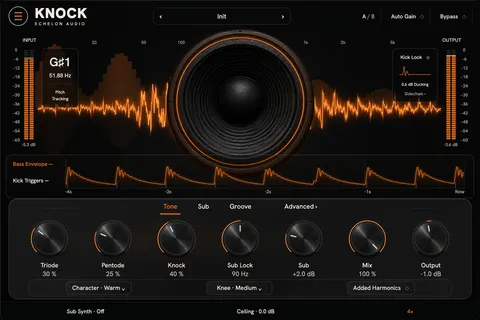
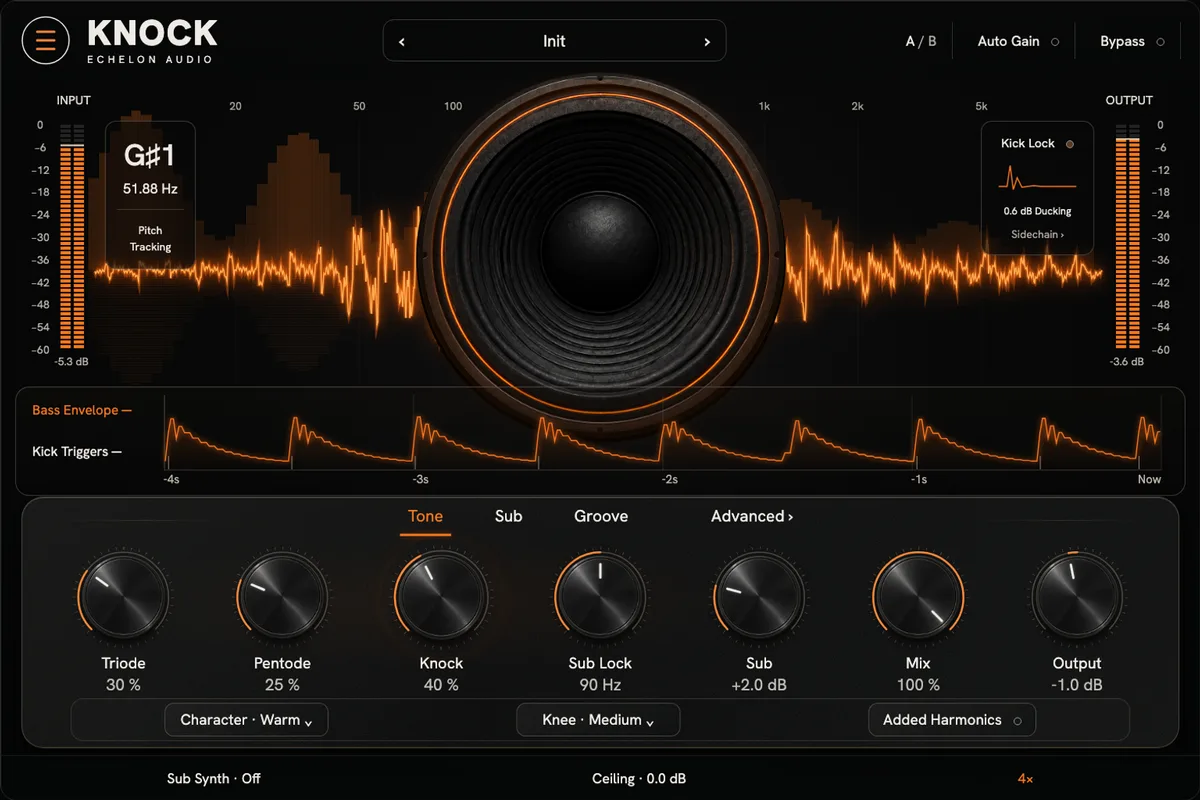
The face · v1.3.0 · VST3 · AU · AAX
What opens in your DAW.
The film builds KNOCK as hardware. This is the interface itself, exactly as it ships.
Walkthrough · 33 s · sound on
KNOCK in 33 seconds.
What it's doing, then the same passage with KNOCK bypassed and in — level-matched, on its own faceplate — and the quick facts.
Why it exists
808 harmonic-knock saturator
The 808 slaps in the studio and vanishes on the artist's phone. Distort it until it reads and now the sub is fuzzy in the car. You can't win with one saturator.
KNOCK runs the harmonics and the sub as separate problems: parallel triode and pentode drive up top, a clean Sub-Lock crossover holding the fundamental below, and a pitch-locked Sub-Synth that tracks the glides. Phone, laptop, car — it reads everywhere.
In the session
- 01Make the 808 read on a phone and in the car — same setting.
- 02Keep the sub solid with the clean Sub-Lock crossover.
- 03Track gliding 808s with the pitch-locked Sub-Synth.
- 04Add Click when a soft 808 needs attack.
Under the hood
What's inside KNOCK.
- Cascaded triode → pentode drive with per-stage blend
- Sub-Lock keeps the fundamental clean
- Pitch-locked Sub-Synth + attack Click
- 808s that knock anywhere
System requirements
- Version
- v1.3.0
- Formats
- VST3 · AU · AAX
- macOS
- macOS 11+ · Apple Silicon + Intel (Universal)
- Windows
- Windows 10/11 · 64-bit · VST3 + AAX
- Licensing
- iLok · machine, cloud or USB
- Delivery
- Echelon Audio Hub
Straight answers
Before you run KNOCK.
Which DAWs does KNOCK work in?
Pro Tools (AAX); Logic Pro and GarageBand (AU, macOS); Ableton Live, FL Studio, Cubase, Studio One and Reaper (VST3). It ships as VST3, AU, AAX on macOS and Windows. The install guide covers where each format lands and how to rescan if a host doesn't see it.
What are the system requirements?
macOS: macOS 11+ · Apple Silicon + Intel (Universal). Windows: Windows 10/11 · 64-bit · VST3 + AAX. Licensing is iLok; no USB dongle is required.
Does KNOCK add latency?
Where the engine needs lookahead or oversampling, KNOCK reports its latency to your DAW, which compensates automatically, so it stays in time with the rest of the session. On a live input, check your host's low-latency or monitoring mode.
Can I try KNOCK before buying?
Yes, through the subscription: the 7-day trial covers every unit, KNOCK included, with nothing charged until it ends. Individual plugins and bundles don't have separate trials.
Do I need an iLok dongle?
No. The license lives on your iLok account and can be activated to your computer, to iLok Cloud, or to a USB key — your choice.
How do I install it?
Through the Echelon Audio Hub: sign in once, and it installs, updates and rolls back every unit you own or subscribe to.
Are updates free?
Yes. A perpetual KNOCK license includes every update to KNOCK; subscribers get updates and every new unit as it lands.
What if it doesn't work for me?
Perpetual licenses have a 7-day refund window from purchase, as long as the license is surrendered from your iLok account. On the subscription, cancelling inside the trial means you pay nothing. If something is broken and support can't fix it, we'll make it right regardless.
Ready when the session is
Run KNOCK tonight.
All 47 units free for 7 days, or own KNOCK outright for $99.