 Apps · iPad + iPhone · Free
Echelon Remote
Mix From Your iPad. The Echelon Plugins Running On Your Mac, In Your Hands: Each Plugin's Own Panel, Its Quick Controls, And Moves That Record As Clean Automation.
Free · iPad And iPhoneA Second Screen For The Rack You Already Own.
The Plugin's Own Panel, Full Size
Tap Open Plugin And Your iPad Shows That Plugin's Real Interface. Each Plugin Serves Its Own Panel, So It Always Matches The Version On Your Mac. Update A Plugin And The App Needs No Update.
Quick Controls, Chosen By The Plugin
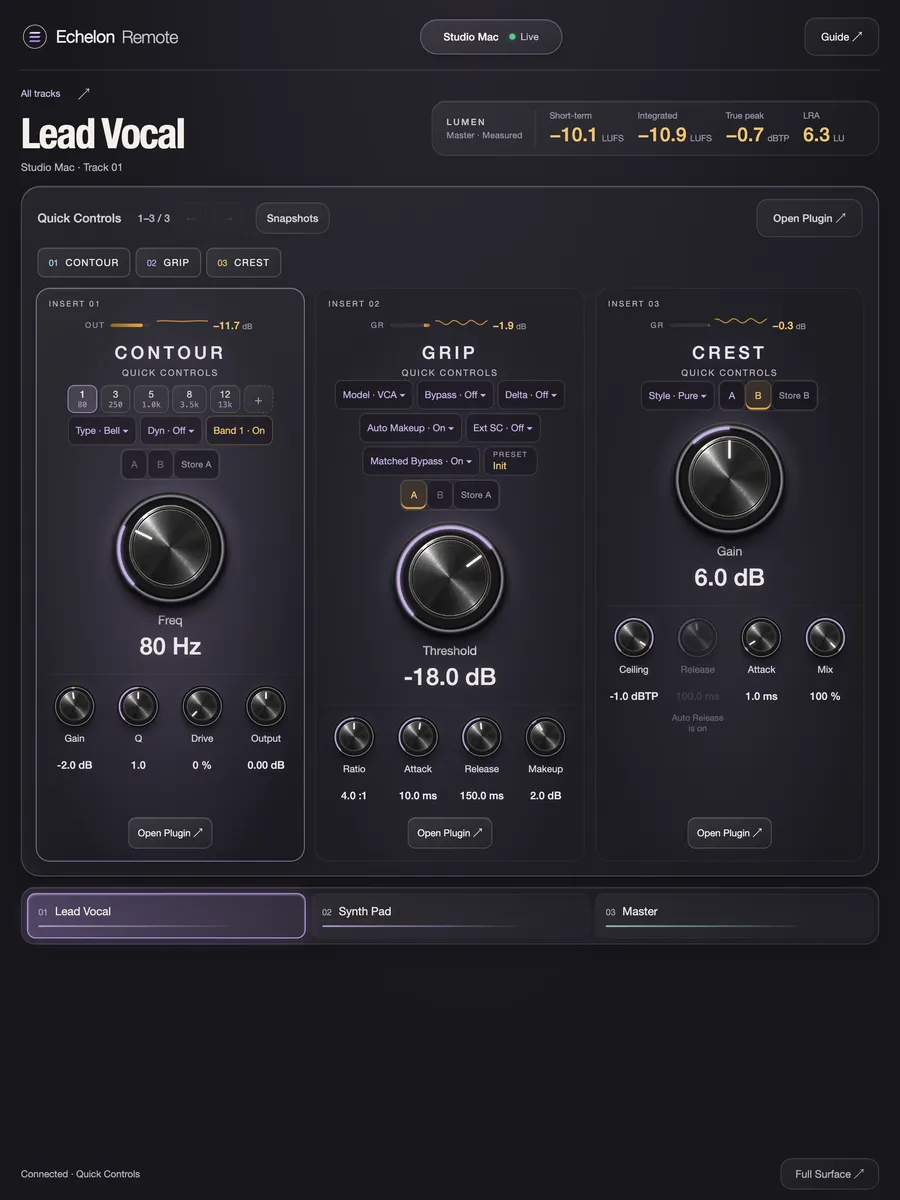
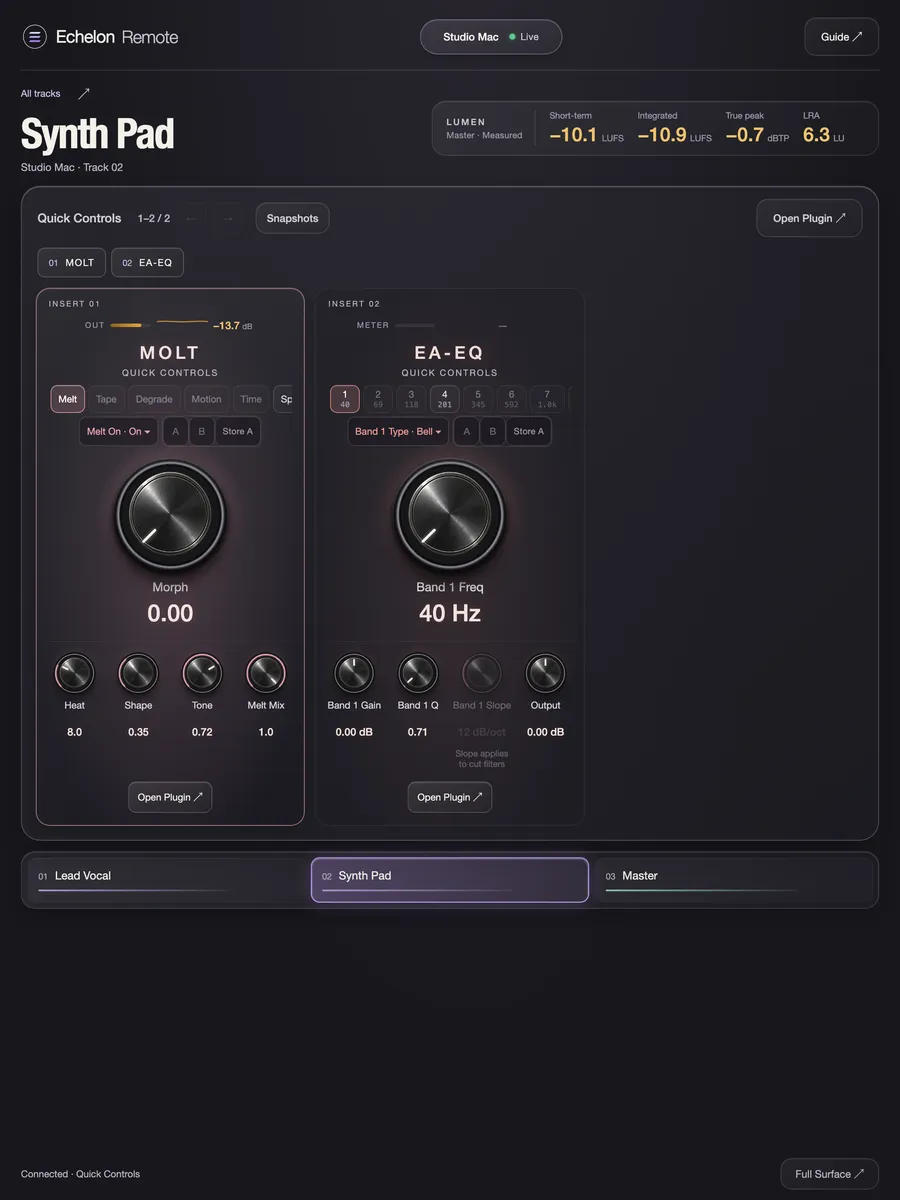
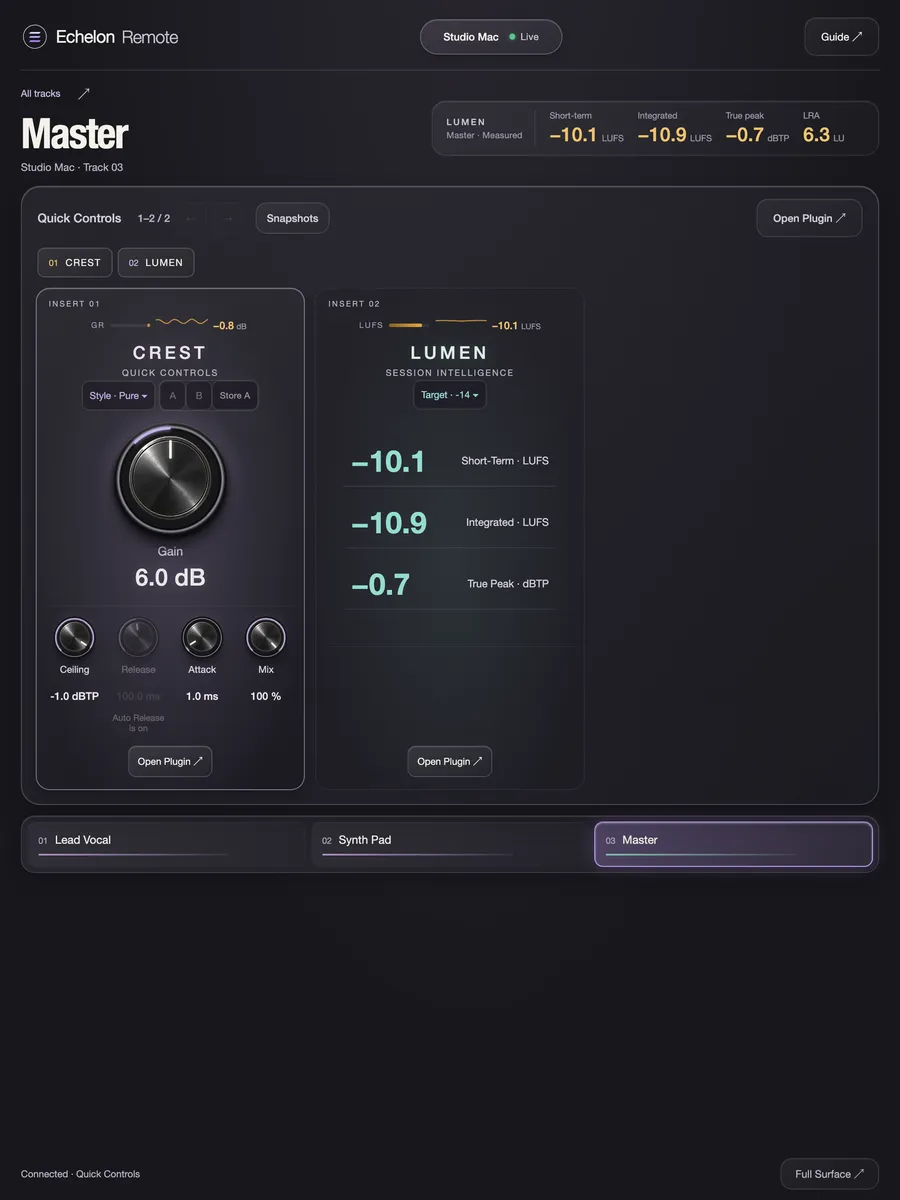
Every Plugin Picks Its Own Quick Controls: The Big Knob, The Ones Beside It And The Switches That Matter. Values Read Exactly As They Do On The Mac, Units Included.
Automation That Records Cleanly
Every Move Is Sent As A Proper Touch Gesture: It Starts When Your Finger Lands And Ends When It Lifts. Touch And Latch Passes Record Your Move Just Like A Mouse Drag.
Every Insert, Grouped By Track
Each Instance Shows Up Under Its Track Name From Your Session. Move Between Inserts Without Walking Back To The Desk.
Off Means Off
When A Control Does Nothing In The Current Mode, It's Greyed Out And The Reason Is Shown. If The Connection Drops, The Controls Pause And Say So. Nothing On Screen Shows A Stale Value.
Your Network Only
The App Finds Your Plugins On Your Own Network And Talks Straight To Your Mac. No Account, No Analytics, No Ads, And Nothing Goes To The Internet.
Set Up In A Minute.
- 1
Get The App
Download Echelon Remote Free From The App Store On Your iPad Or iPhone.
- 2
Update Your Plugins
Install The Latest Versions Through The Echelon Audio Hub. Remote Support Is Built Into The Plugins.
- 3
Same Network
Put Your iPad Or iPhone On The Same Network As Your Mac. The Mac Can Be On Ethernet.
- 4
Pair And Play
Open Your Session, Open Echelon Remote, Allow Local Network Access And Enter The Six-Digit Code From Your Mac.
Echelon Remote Is Free. It Controls The Echelon Plugins You Already Have Installed And Licensed On Your Mac, In Your DAW Or A Plugin's Standalone App.