Learn · All Quick-Starts · 2 min
EA-60
quick-start.
Classic VCA slam on drums in three knobs.
4 steps · every control name is the real one · Dynamics
Set THRESHOLD
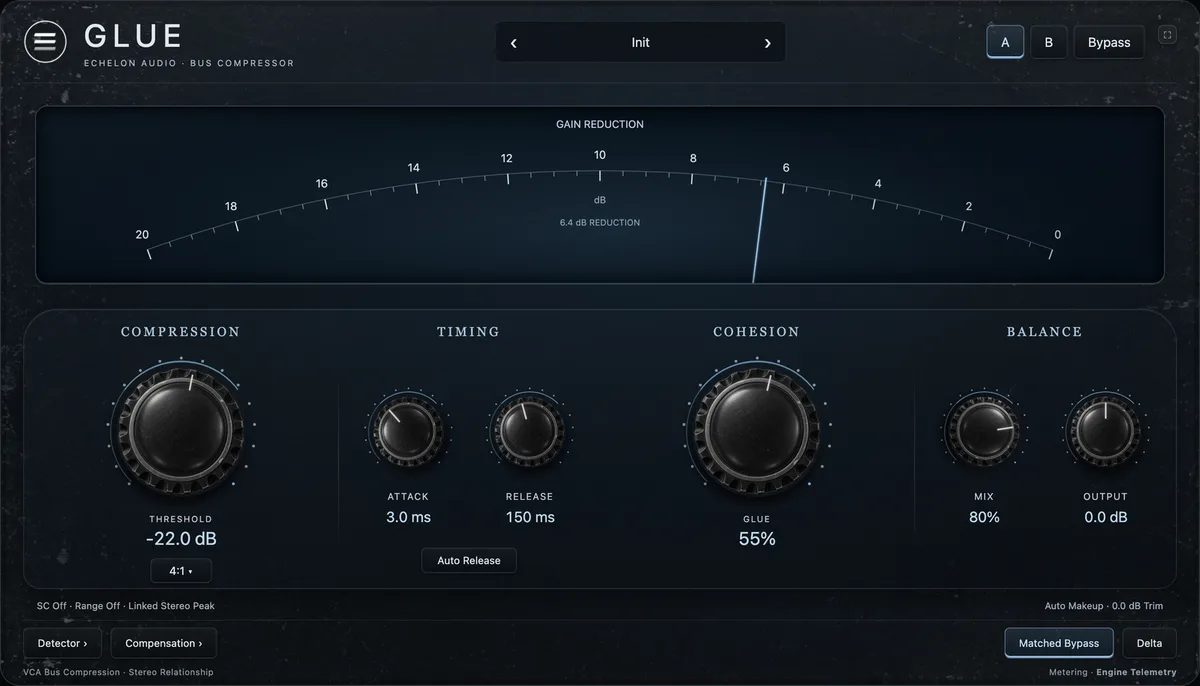
Pull THRESHOLD down until the GR · dB meter shows reduction on the hits you want controlled — the detector reads true RMS power, not peaks.
Pick the knee and timing
Hard knee is the default drum slam — nothing, then everything. Press OVER-EASY to widen the knee for invisible leveling on bass and program. AUTO (on by default) hands attack and release to the program — there are deliberately no timing knobs on the face.
Set RATIO and OUTPUT
4:1 covers most jobs; higher for limiting duty. Auto makeup holds loudness as you lower THRESHOLD, so OUTPUT is only a final trim.
A/B at matched level
Toggle BYPASS (or = for matched bypass) with OUTPUT set for equal loudness — VCA punch should read as impact, not just volume. DELTA plays only what's being removed.
Pro moves
Once it's working.
- Kick + snare bus, hard knee, 6 dB of reduction: the record-ready VCA sound in ten seconds.
- OVER-EASY on a bass DI is the closest this box gets to invisible.