

Repair / FX · one of the 47
CLEANX
A radio edit in minutes. Not an afternoon.
One click per word down the RADIO EDIT word list — BLEEP, MUFFLE, GARBLE or BACKSPIN — plus creative repair FX for everything else on the session.
- Formats
- VST3 · AU · AAX
- Runs on
- macOS + Windows
- Licensing
- iLok · no dongle
- Installs via
- Echelon Hub
Own it
Pick the units; we’ll show you whether a pack beats buying them one at a time. Flagships (the $149+ units): the Pick 3 includes 1, the Pick 5 2; each beyond that is +$49.
5 × $13.17 + $13.15, then CLEANX is yours · $79.00 total, no interest. Cancel or pay off anytime. USD.
Trial covers all 47 units, then $17.99/mo. Buy Now goes straight to checkout.
macOS (Universal) + Windows · iLok · New plugins drop Oct 30
Not today? so it’s easy to find again.

01GATE
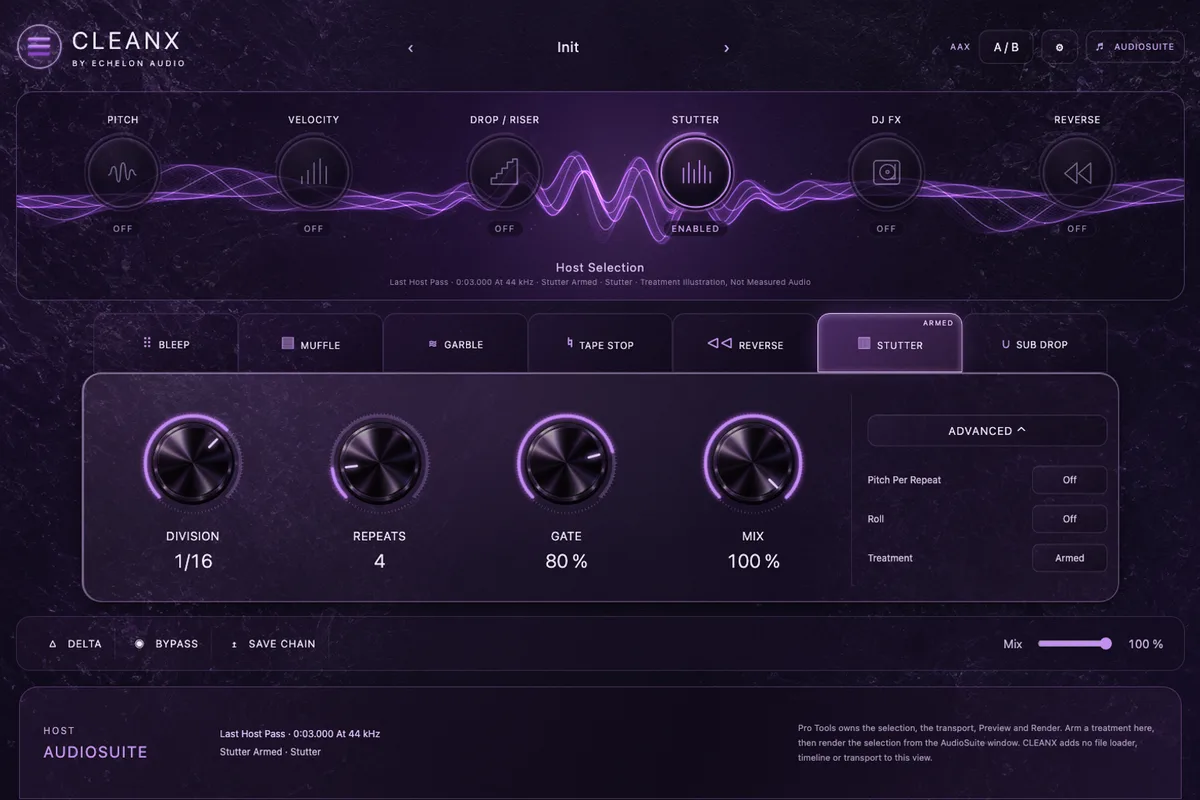
Gate Every Repeat.
How much of each repeat sounds before it gates to silence.

02MODULES
Six Modules. All Live.
Pitch, Velocity, Drop / Riser, Stutter, DJ FX, Reverse.

03STUTTER
Tempo-Synced Stutter.
Division, repeats and gate, with pitch per repeat.

04ONE ENGINE
Insert, AudioSuite, Standalone.
One engine, so what you print is what you heard.

05BLEEP
Bleep. Muffle. Garble.
Radio edit treatments for clean versions, word by word.
The face · v1.4.0 · VST3 · AU · AAX
What opens in your DAW.
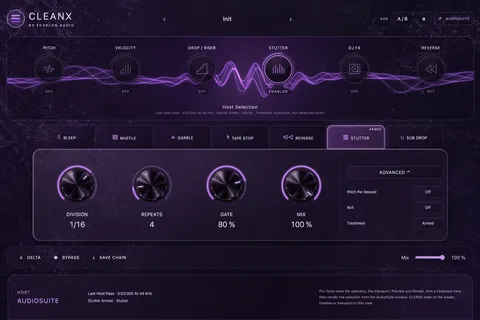
The film builds CLEANX as hardware. This is the interface itself, exactly as it ships.
Walkthrough · 31 s · no audio
CLEANX in 31 seconds.
What CLEANX does, a tour of its current faceplate, and the quick facts. No audio — there is no rendered A/B for CLEANX yet.
Why it exists
creative repair FX + radio edit
Clean versions are the least creative hour of the week: zoom in, cut the word, reverse the clip, crossfade, repeat forty times, deliver, get a note that you missed one.
CLEANX makes it one action per word — pick BLEEP, MUFFLE, GARBLE or BACKSPIN and move to the next. In Pro Tools it runs as AudioSuite (offline) — the insert version is VST3/AU. The clean version ships the same session you mixed.
In the session
- 01Censor a word with one action — four ways to do it.
- 02In Pro Tools, render the pass offline with AudioSuite (the only Pro Tools path).
- 03Repair and flip audio creatively in real time.
- 04Ship the clean version the same day as the mix.
Under the hood
What's inside CLEANX.
- Real-time creative repair FX
- RADIO EDIT censor strip
- BLEEP / MUFFLE / GARBLE / BACKSPIN
- Pro Tools: AudioSuite (offline) only · insert mode is VST3/AU
System requirements
- Version
- v1.4.0
- Formats
- VST3 · AU · AAX
- macOS
- macOS 11+ · Apple Silicon + Intel (Universal)
- Windows
- Windows 10/11 · 64-bit · VST3 + AAX
- Licensing
- iLok · machine, cloud or USB
- Delivery
- Echelon Audio Hub
Straight answers
Before you run CLEANX.
Which DAWs does CLEANX work in?
Pro Tools (AAX); Logic Pro and GarageBand (AU, macOS); Ableton Live, FL Studio, Cubase, Studio One and Reaper (VST3). It ships as VST3, AU, AAX on macOS and Windows. The install guide covers where each format lands and how to rescan if a host doesn't see it.
What are the system requirements?
macOS: macOS 11+ · Apple Silicon + Intel (Universal). Windows: Windows 10/11 · 64-bit · VST3 + AAX. Licensing is iLok; no USB dongle is required.
Does CLEANX add latency?
Where the engine needs lookahead or oversampling, CLEANX reports its latency to your DAW, which compensates automatically, so it stays in time with the rest of the session. On a live input, check your host's low-latency or monitoring mode.
Can I try CLEANX before buying?
Yes, through the subscription: the 7-day trial covers every unit, CLEANX included, with nothing charged until it ends. Individual plugins and bundles don't have separate trials.
Do I need an iLok dongle?
No. The license lives on your iLok account and can be activated to your computer, to iLok Cloud, or to a USB key — your choice.
How do I install it?
Through the Echelon Audio Hub: sign in once, and it installs, updates and rolls back every unit you own or subscribe to.
Are updates free?
Yes. A perpetual CLEANX license includes every update to CLEANX; subscribers get updates and every new unit as it lands.
What if it doesn't work for me?
Perpetual licenses have a 7-day refund window from purchase, as long as the license is surrendered from your iLok account. On the subscription, cancelling inside the trial means you pay nothing. If something is broken and support can't fix it, we'll make it right regardless.
Ready when the session is
Run CLEANX tonight.
All 47 units free for 7 days, or own CLEANX outright for $79.